
Inventory Planning for Shopify
Stop guessing.
Start ordering
with confidence.
A plug-and-play spreadsheet that turns three Shopify CSV exports into a real reorder plan — built the way a supply chain professional would build it, for the size of business that can’t justify an ERP yet.
One-time purchase. No subscription. 14-day refund guarantee.
You know what reorder points are. You just don’t have time to build the model.
You export your Shopify data every Monday. You stare at it. You place orders based on instinct and the last time you ran out of that black tee in medium. Some weeks you over-order and tie up cash. Other weeks you stock out of your bestseller and watch add-to-carts evaporate.
The inventory platforms run $150 to $800 a month and feel like committing to an ERP. SkuClerk is the middle path.
4,700+
Live formulas
9
Workbook tabs
22
Computed columns per SKU
$79
One-time. Forever.
What You Get
One Excel workbook. Nine tabs. No installation.
Automatic calculations
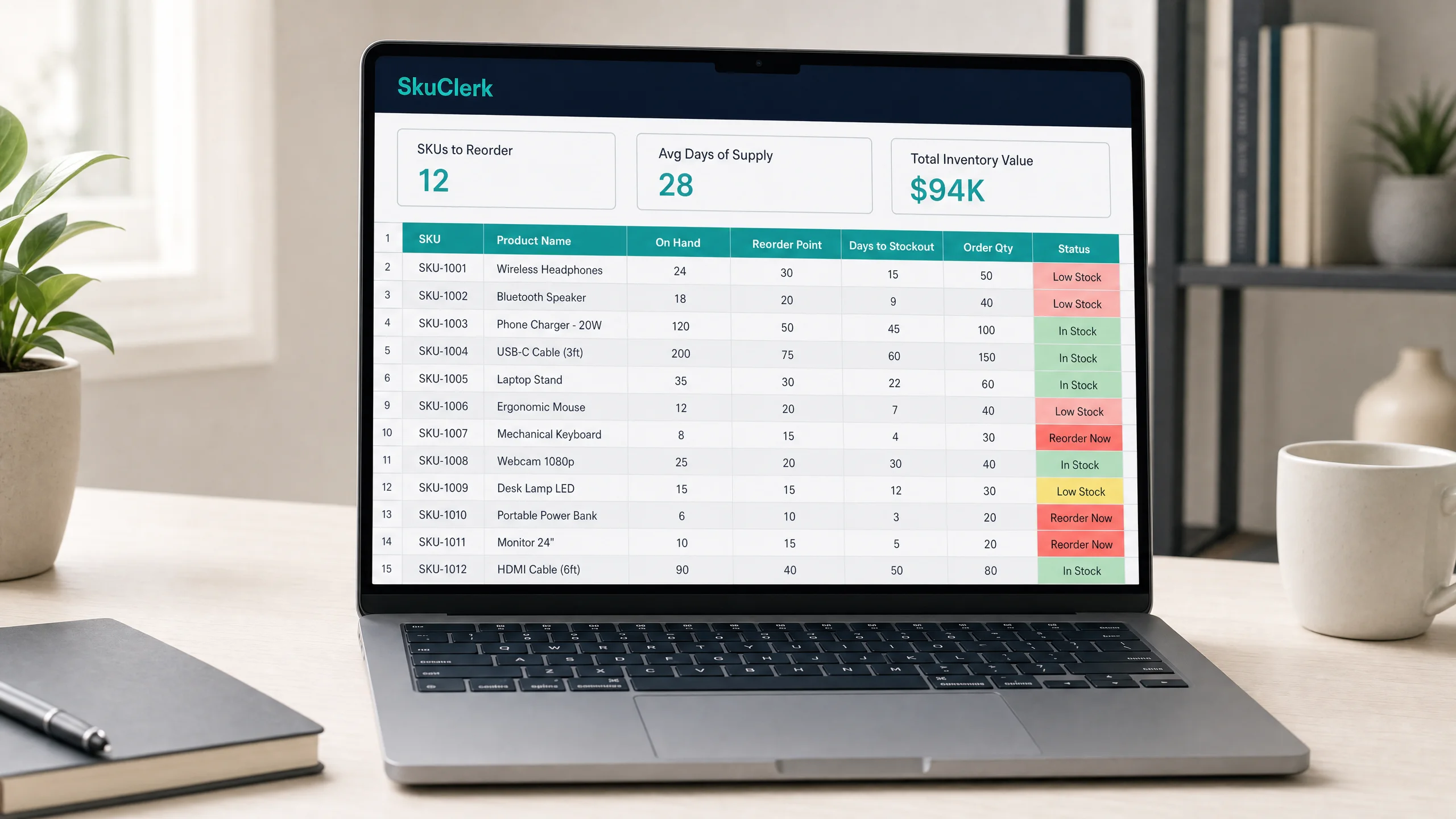
Average daily demand, demand variability, safety stock, reorder point, EOQ, days of supply, and days to stockout — for every SKU.
Three forecast modes
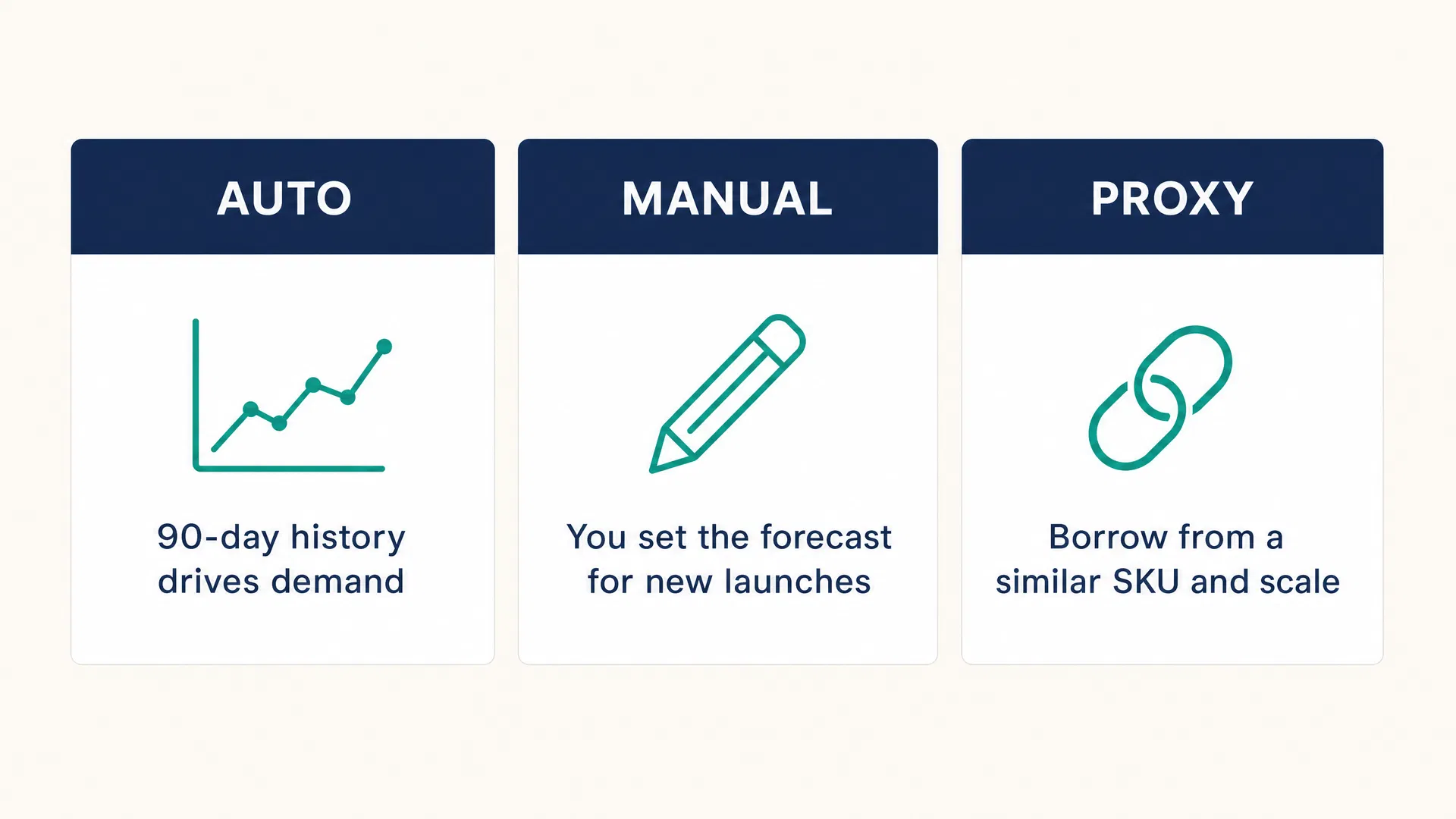
Auto (90-day history), Manual (you set demand for new launches), and Proxy (borrow from a similar SKU and scale). Per SKU.
Live Dashboard
Nine KPI cards, a prioritized 'Order Now' list, top-5 fast and slow movers, and a forecast-mode mix ribbon. Refreshes instantly.
Combined variability formula
Uses the textbook-correct safety stock formula that accounts for both demand AND lead time variability. Not the simplified version.
30-minute setup
Paste three Shopify CSV exports. Open the Dashboard. Act on the Order Now list. Weekly use is 5-10 minutes.
Works in Excel and Google Sheets
Delivered as .xlsx. Import into Google Sheets in 30 seconds — all 4,880 formulas, dropdowns, and conditional formatting transfer cleanly.
The Feature Competitors Forget
Built for new launches, not just mature SKUs.
Every other inventory spreadsheet assumes you have 90 days of clean, stable sales history for every SKU. For new launches — the most important decisions — the math produces nonsense.
SkuClerk fixes this with per-SKU forecast modes. New product with zero history? Use Manual. New color variant of a bestseller? Use Proxy. Switch back to Auto after it accumulates real data.
Who This Is For
- Growing Shopify stores with 50–500 SKUs and no dedicated inventory staff.
- You're the founder, operator, or ops manager and inventory decisions land on your desk by default.
- You're currently managing inventory in a Google Sheet with ad-hoc columns.
- You've stocked out of a bestseller at least once in the last 90 days.
- You've looked at the dedicated inventory apps and decided the pricing was too much for where you are today.
- You want a model you can see inside of — where the formulas aren't hidden behind a UI.
Who This Is Not For
I’d rather you not buy it than be the wrong fit.
- Enterprise retailers with dedicated demand planning teams — you already have NetSuite or SAP IBP.
- Stores with more than 500 active SKUs — the Shopify App version (in development) is the right answer.
- Pure dropshipping operators with no on-hand inventory.
- Anyone looking for a plug-in that auto-places purchase orders — this is a planning tool, not an automation tool. Yet.
Inside the Workbook
Nine tabs. Every formula visible.
README
One-page guide. How it works, how to use it, metric glossary.
Settings
Six global parameters. Tune service level, holding cost, and more.
Products Import
Paste your full Shopify products export. No column editing needed.
Orders Import
Paste 90 days of orders. The tool extracts what it needs automatically.
Inventory Import
Paste your Shopify inventory export. On hand, incoming, location.
Product Master
SKU-level settings. Lead times, MOQ, forecast modes. Set once, maintain as needed.
Calculations
The engine. Twenty-two computed columns per SKU. No hidden logic.
Dashboard
KPI cards, Order Now list, fast/slow movers. Open every Monday.
Formulas Reference
Every formula in plain English. Defend your PO sizes to a skeptical cofounder.
Pricing
$79
One-time purchase. No subscription.
- Instant download — .xlsx file, works in Excel and Google Sheets
- Free lifetime updates within v1.x
- 12-minute video walkthrough by the creator
- Priority access to the Shopify App when it launches
- Dollar-for-dollar credit on your App subscription (once available)
- 14-day no-questions-asked refund
Compare: a Shopify App running this exact math costs $39–$150/month for a store your size — $468–$1,800 a year, every year. And the apps priced on your revenue climb toward $899/month as you grow. SkuClerk is $79, once. You own it forever.
Buy SkuClerkAbout the Creator
Built by an operator who lived inside Shopify.
I’m a supply chain and operations professional. I’ve spent most of my career building the boring backbone of how products move — procurement, inventory, logistics, supplier management, S&OP.
Earlier in my career I worked at an ecommerce company that started on Shopify and eventually graduated to a custom backend. I lived the exact transition this template is designed to support: the moment when an off-the-shelf ecommerce stack needs to meet real inventory discipline, but you’re not ready to rip everything out.
This is the tool I wish I’d had at that stage.
What’s Next
The Shopify App is in development.
Same math, same philosophy — but it connects directly to your store. Pulls your inventory, sales, and product data automatically. Sends you a weekly “what to reorder” email. Drafts purchase orders you can send to your suppliers in one click.
Buying the spreadsheet today gets you priority access when the App launches — and your $79 purchase becomes a dollar-for-dollar credit on your app subscription, applied automatically until it’s used up.
Stay in the Loop
Get notified when the Shopify App launches.
Plus early access, inventory planning tips, and the occasional behind-the-build update. No spam. Unsubscribe anytime.
FAQ
Common questions
Does this work in Google Sheets?
Yes. Import the .xlsx into Google Drive, open it, and click File → Save as Google Sheets. All 4,880 formulas transfer cleanly — no compatibility issues. Takes 30 seconds.
How long does setup take?
Thirty minutes the first time. After that, weekly use is five to ten minutes — paste new data, open the Dashboard, act on the Order Now list.
What if I have more than 200 SKUs?
The out-of-box file handles 200 SKUs. If you have between 200 and 500, reply to your purchase receipt and I'll send a 500-row version, free of charge.
Do I need to be a spreadsheet expert?
No. If you can paste a CSV into a tab and open another tab, you can use this. The Formulas Reference tab is there when you want to understand what's happening.
What about new product launches?
Handled natively. Set the SKU's Forecast Mode to Manual or Proxy. No other spreadsheet template on the market does this.
Why is it so cheap?
Because I'm building an audience around the Shopify App that's coming next. If you're the kind of operator I want to build for, the price should not be the obstacle.
Your first reorder list tonight.
Click Buy. Download the file. Paste your Shopify data. Done.
Get SkuClerk — $79